

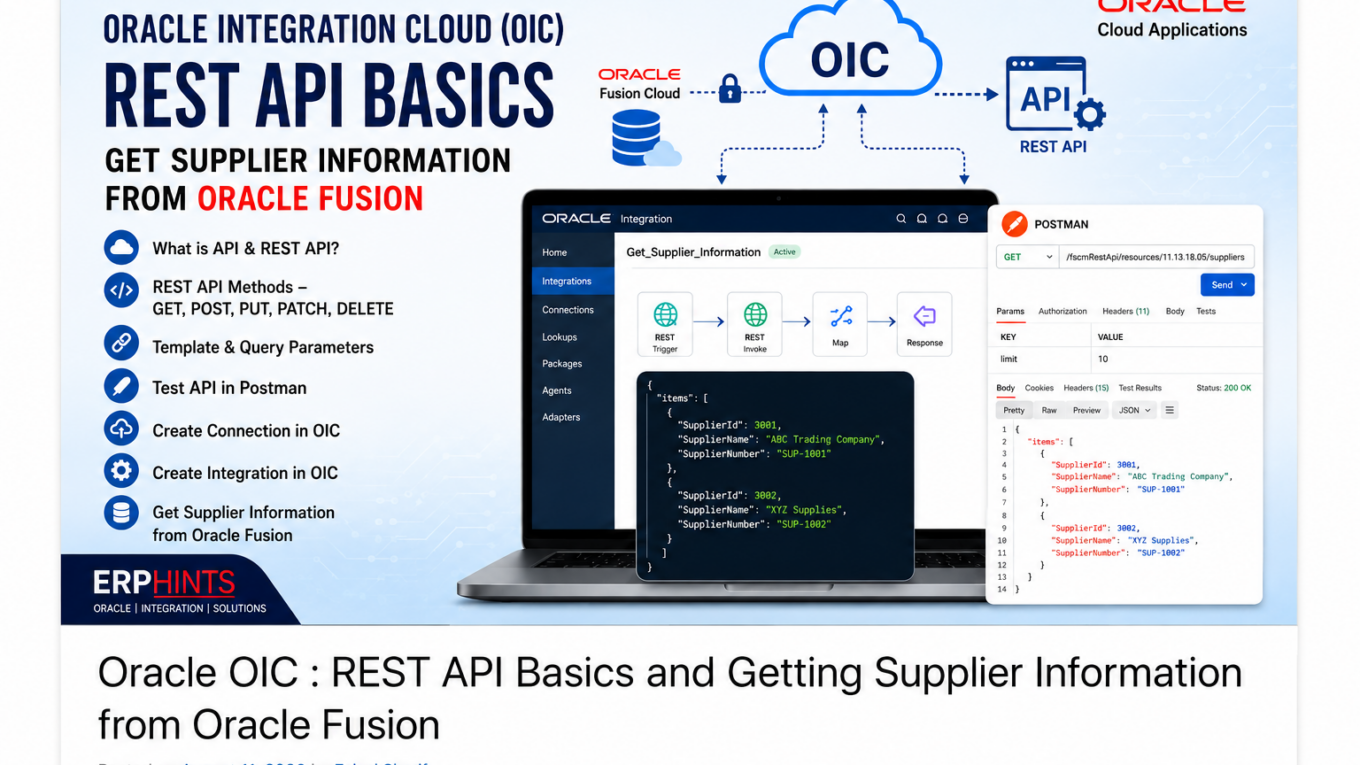
Oracle Integration Cloud (OIC): REST API Basics and Getting Supplier Information from Oracle Fusion
Oracle Integration Cloud (OIC) – First Lecture
Oracle Integration Cloud (OIC) provides a platform for connecting Oracle Fusion Cloud Applications with other applications and services. In this Post we start with REST API fundamentals and then walk through a practical example of getting supplier information from Oracle Fusion.
What You Will Learn
- What an API is
- What a REST API is
- REST API methods: GET, POST, PUT, PATCH and DELETE
- Template and Query Parameters
- How to find the Oracle Fusion Supplier REST API
- How to test the API using Postman
- How to create a connection in Oracle Integration Cloud
- How to create and configure a REST-based OIC integration
- How to test and activate the integration
1. What is an API?
API stands for Application Programming Interface. An API allows one application to communicate with another application in a defined and controlled way. In our example, Oracle Fusion contains supplier information. A REST API provides a way for another application or Oracle Integration Cloud to request that information without manually exporting it.
2. What is a REST API?
REST (Representational State Transfer) is a common architectural approach for web APIs. REST APIs use HTTP methods such as GET, POST, PUT, PATCH and DELETE to work with resources. Oracle Fusion Cloud Applications expose REST resources for many business areas. In this lecture, the resource used is the Suppliers REST API.
3. REST API Methods
| REST Method | Common SQL Equivalent | Purpose |
|---|---|---|
| GET | SELECT | Retrieve data |
| POST | INSERT | Create a new record |
| PUT | UPSERT / Replace | Create or replace/update a resource |
| PATCH | UPDATE | Update an existing resource |
| DELETE | DELETE | Delete a resource |
The original lecture summarizes the methods using the following SQL-style comparison: GET/select, POST/insert, PUT/upsert, PATCH/update and DELETE/delete.
4. REST API Parameters
REST APIs can use parameters to pass information to the source API. The lecture introduces Template Parameters and Query Parameters.
Template Parameter
A template parameter is part of the resource path and is normally used to identify a particular resource.
/suppliers/{SupplierId}
Query Parameter
Query parameters are supplied with the request URL to control or filter the request. Multiple query parameters are commonly separated with an ampersand (&).
/suppliers?limit=10&offset=0
Always check the Oracle Fusion REST API documentation for the exact parameters supported by the specific resource.
5. Get Supplier Information from Oracle Fusion
Our practical objective is to use the Oracle Fusion Suppliers REST API to retrieve supplier information. The first step is to find the correct API documentation and endpoint.
Step 1 – Get Related API Information from Oracle Fusion Documentation
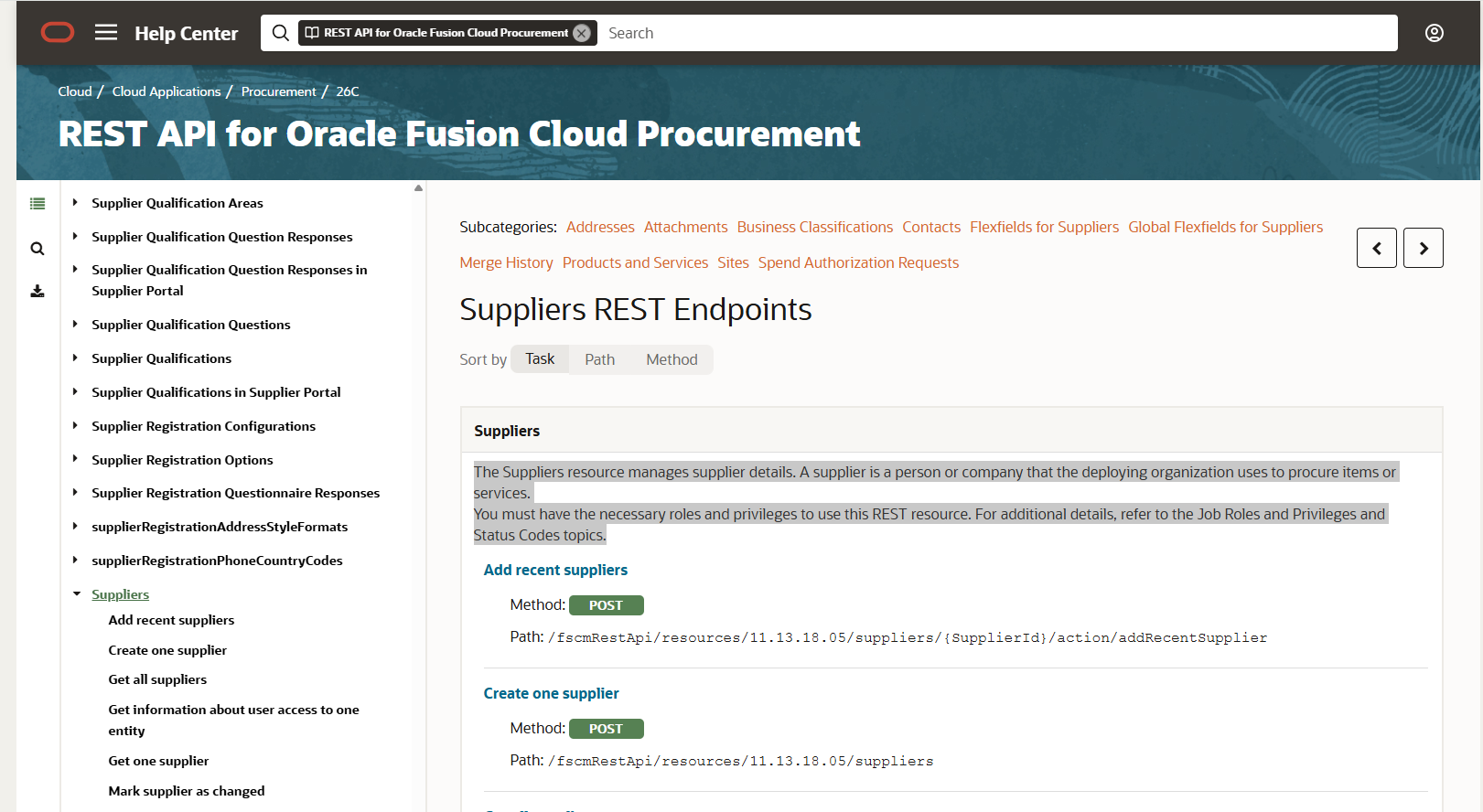
Figure 1: Oracle Fusion Cloud Procurement REST API documentation – Suppliers REST Endpoints.
The Oracle Fusion REST API documentation provides the information needed to construct and test the request, including the resource and supported operations.
Step 2 – Test the API Using Postman
Before creating the OIC integration, test the REST API directly in Postman. This helps confirm that the endpoint and authentication work before introducing OIC into the process.
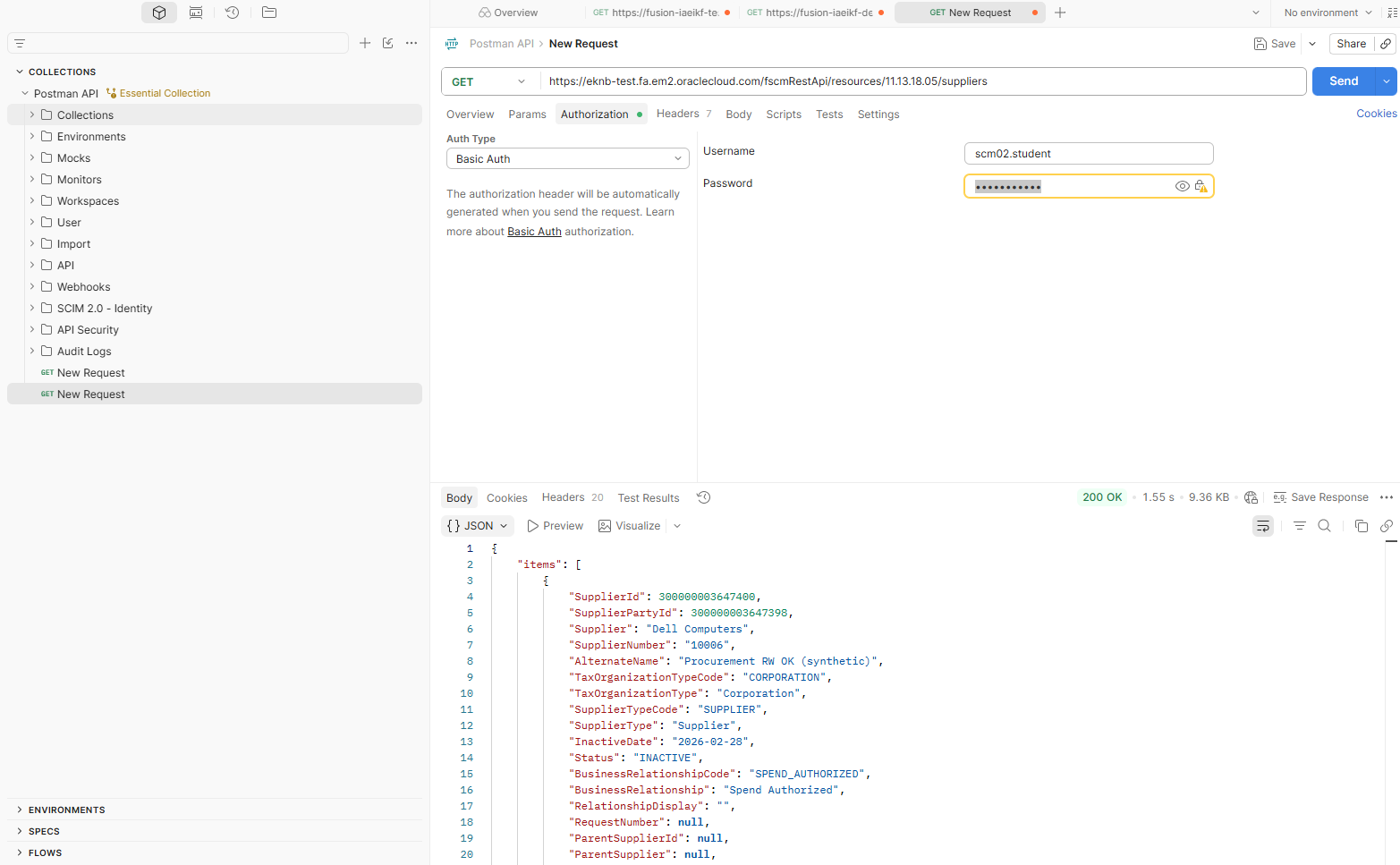
Figure 2: Testing the Oracle Fusion Supplier REST API in Postman.
For a GET request, select GET in Postman, enter the Oracle Fusion Supplier API URL, configure the required authentication, and send the request.
GET https://<fusion-host>/fscmRestApi/resources/<version>/suppliers
The exact host and API version depend on your Oracle Fusion environment.
Step 3 – Create the Connection in Oracle Integration Cloud
After successfully testing the API, create the connection in Oracle Integration Cloud. The connection stores the endpoint and security configuration required for OIC to communicate with Oracle Fusion.
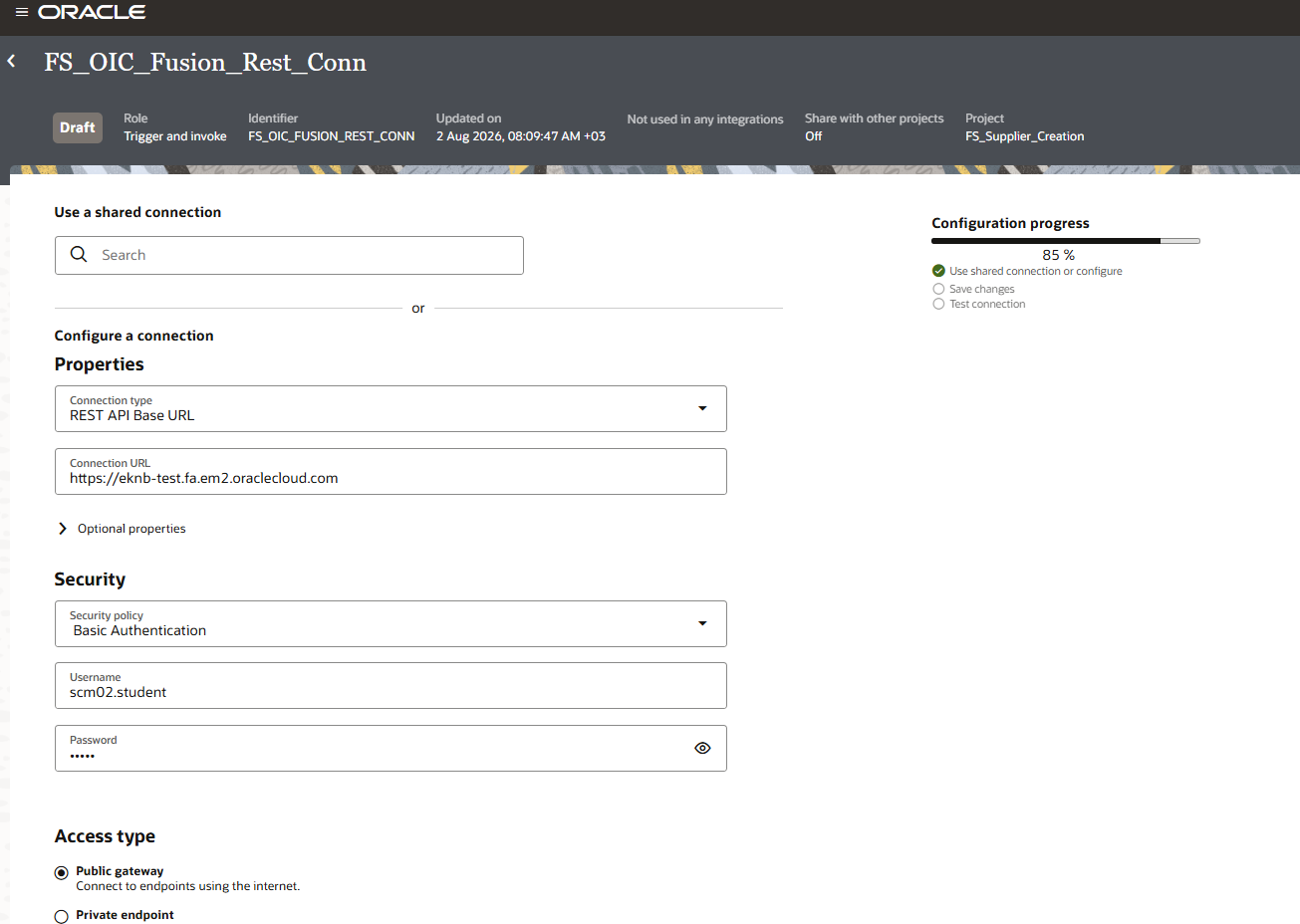
Figure 3: OIC connection configuration for the Oracle Fusion REST API.
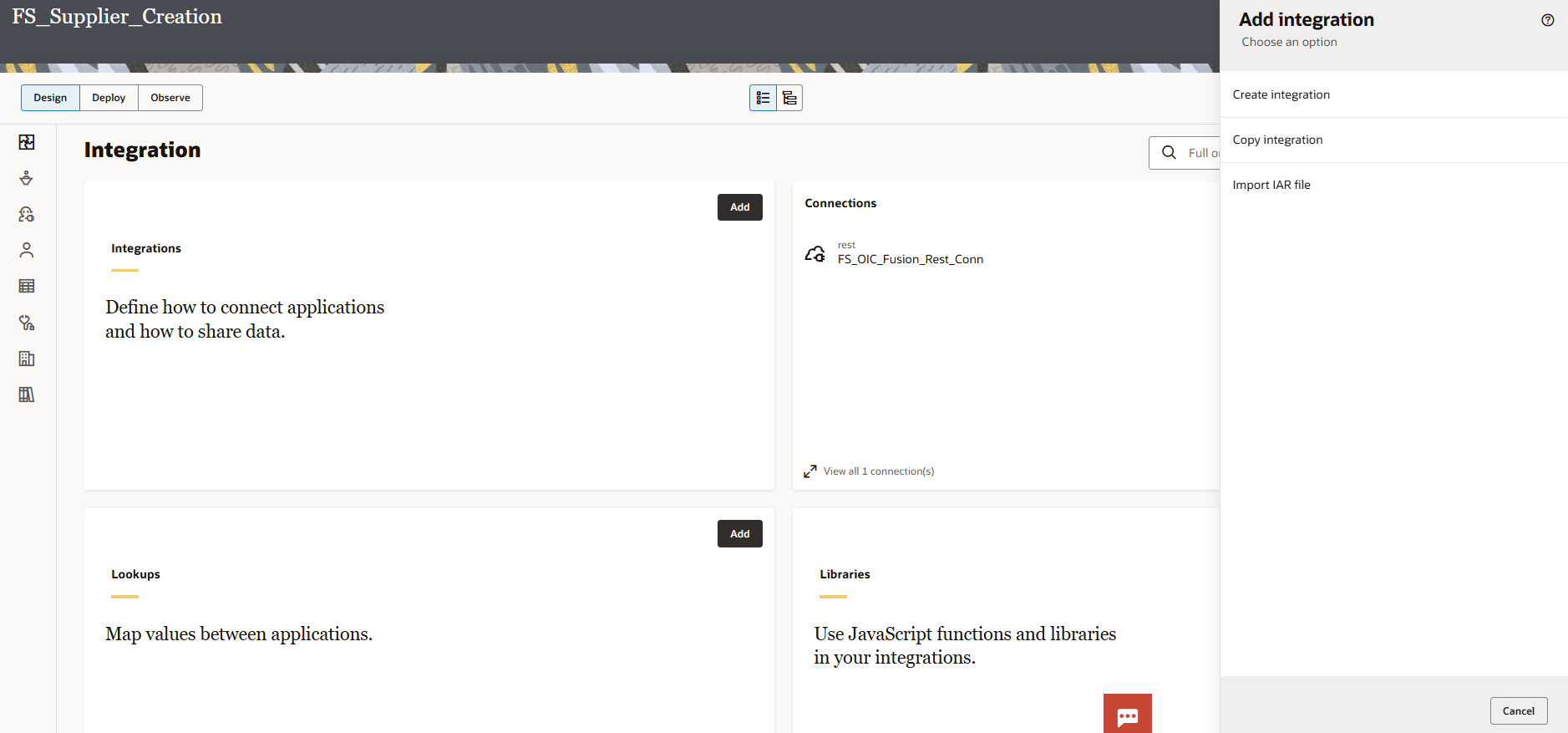
Figure 4: OIC Connections page showing the configured connection.
After configuring the connection, test it and make sure the connection is successful before using it in an integration.
Step 4 – Create the OIC Integration
Now create the integration in Oracle Integration Cloud. The screenshots below show the integration creation process and the REST trigger configuration.
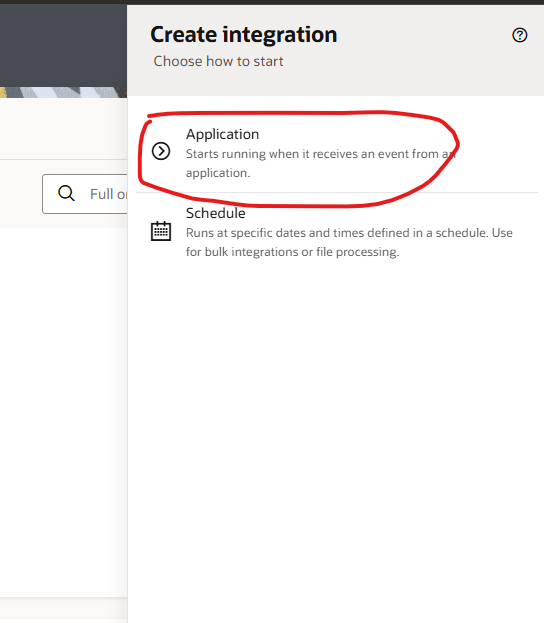
Figure 5: Creating a new integration in Oracle Integration Cloud.
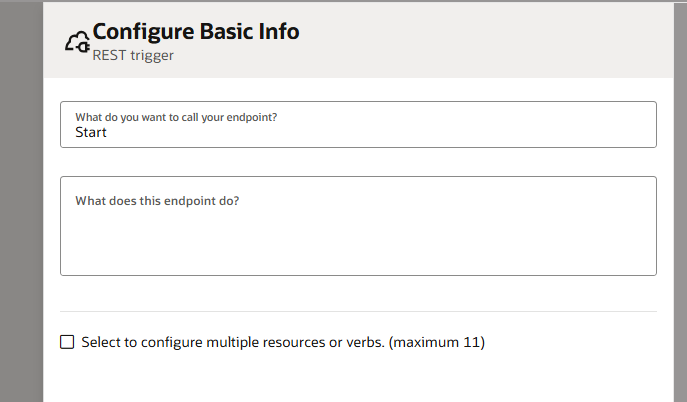
Figure 6: Configure Basic Info for the REST trigger.
Figure 7: REST trigger resource configuration.
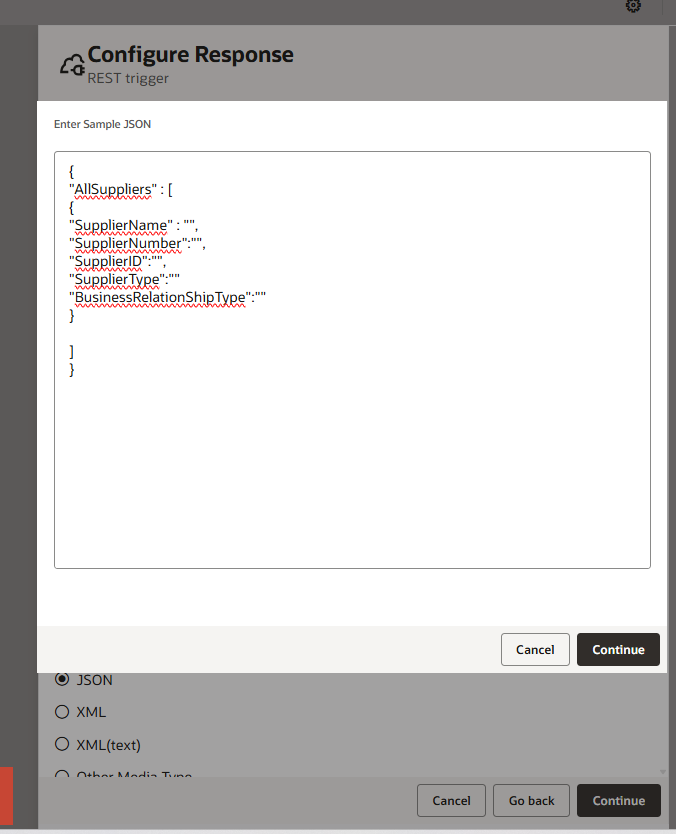
Figure 8: REST trigger response configuration.
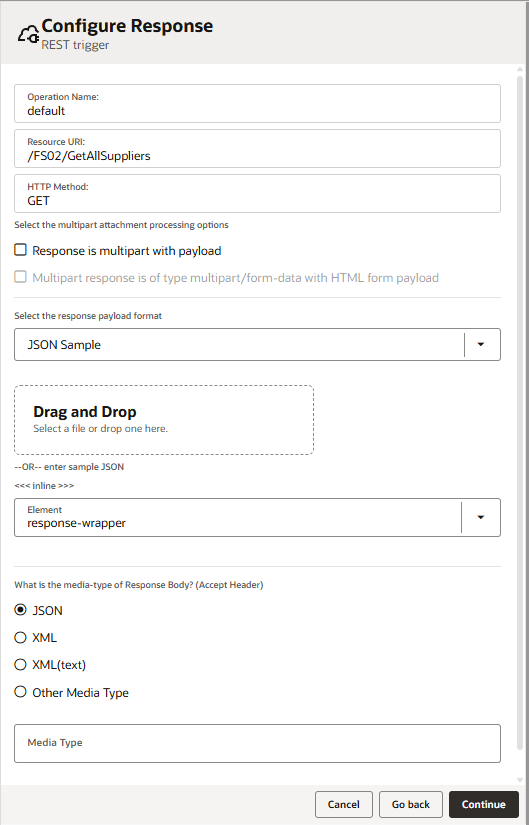
Figure 9: Additional REST trigger configuration.
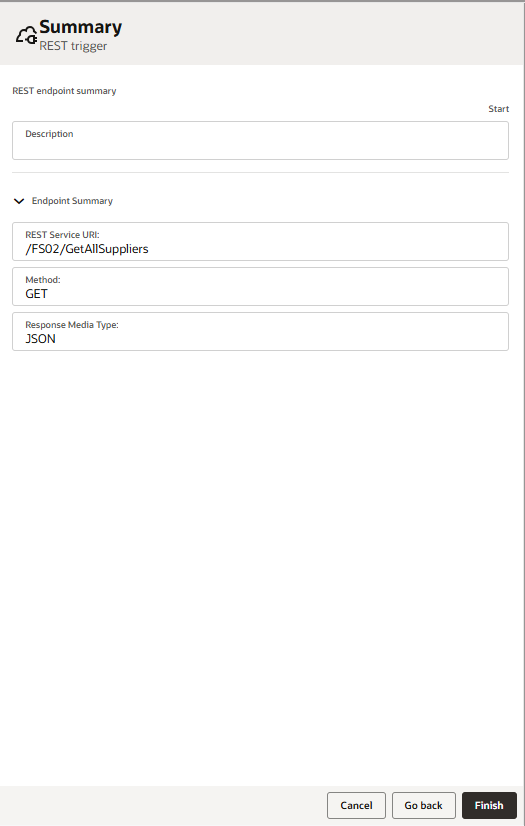
Figure 10: REST trigger summary.
The REST trigger provides the interface through which the integration can receive a request. The configuration should match the API and resource design used for the integration.
6. Configure the Integration Flow
Once the REST trigger is configured, the integration flow can be built in the OIC designer. The lecture screenshots show the flow being assembled and the Oracle Fusion REST API being invoked.
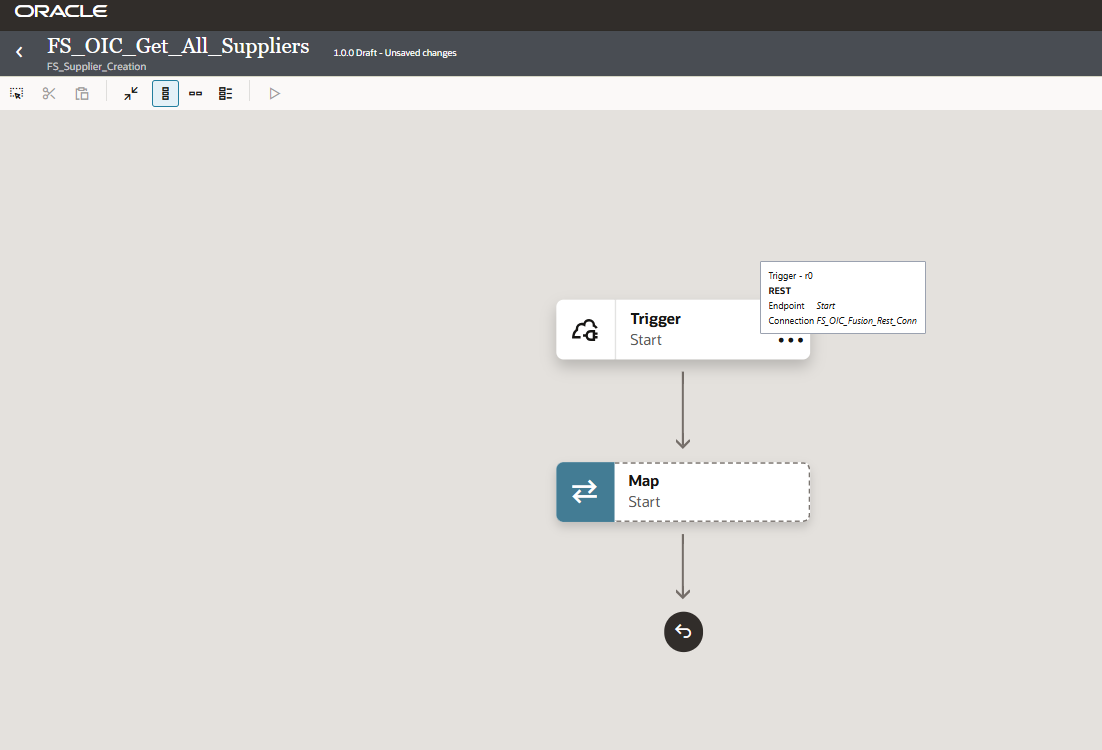
Figure 11: Initial OIC integration flow with the REST trigger.
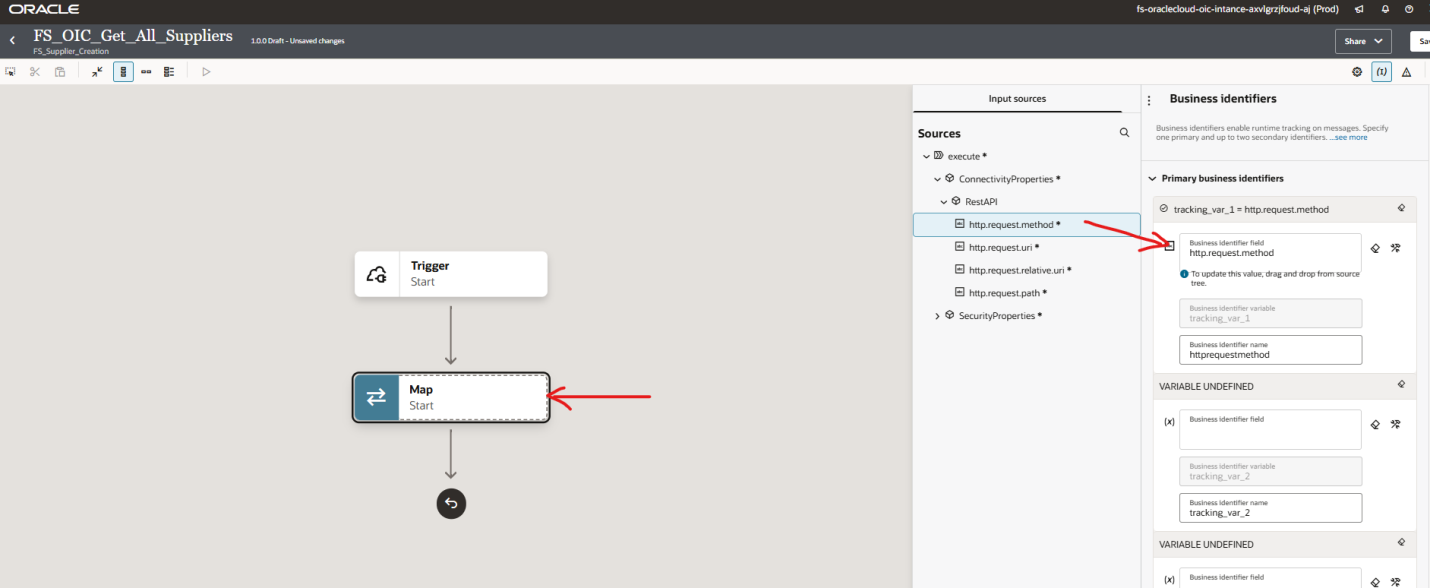
Figure 12: Configuring the REST invoke/action in the integration.
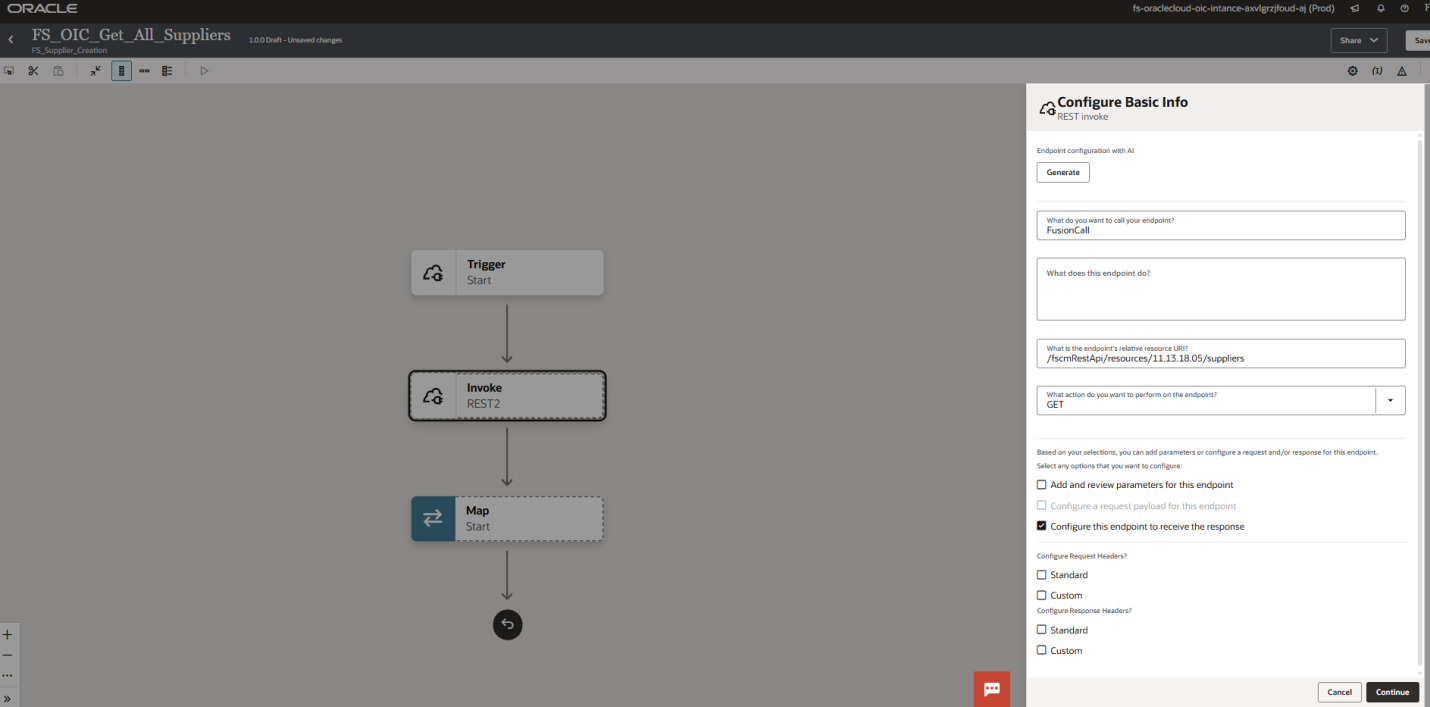
Figure 13: Additional invoke configuration.
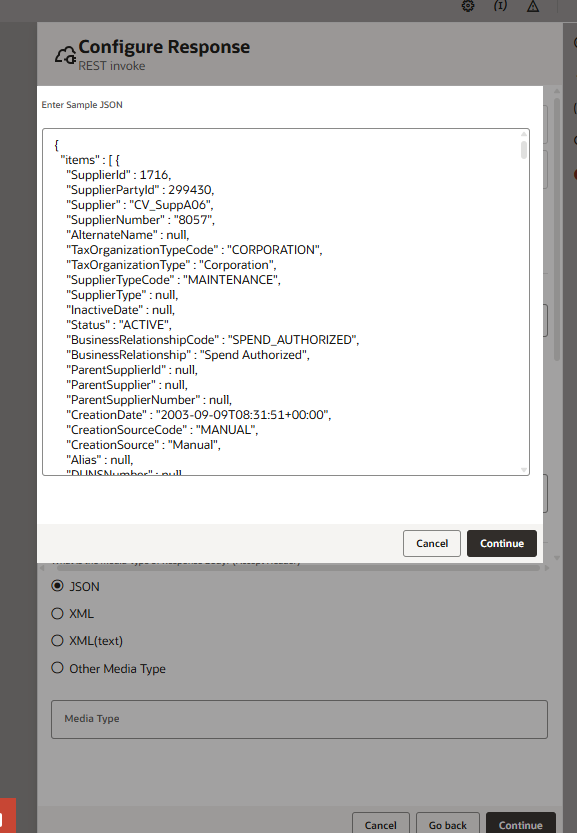
Figure 14: Configure Response for the integration.
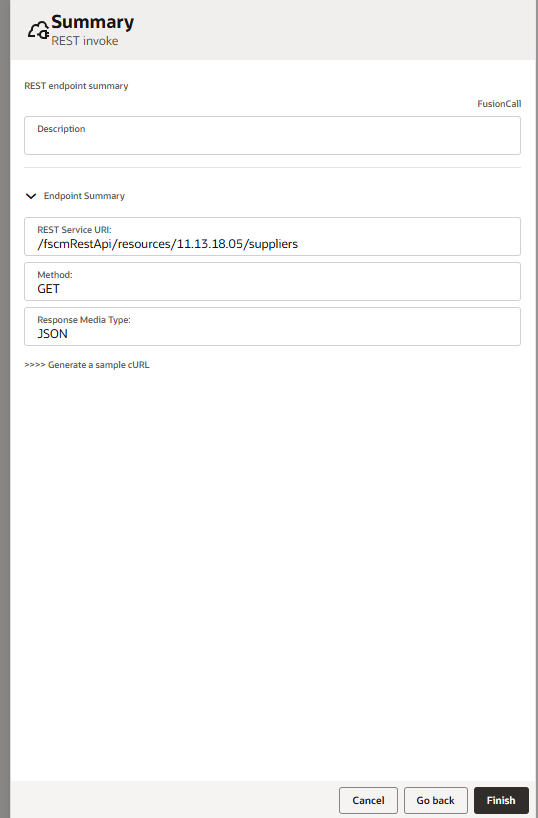
Figure 15: Summary of the configured REST action.
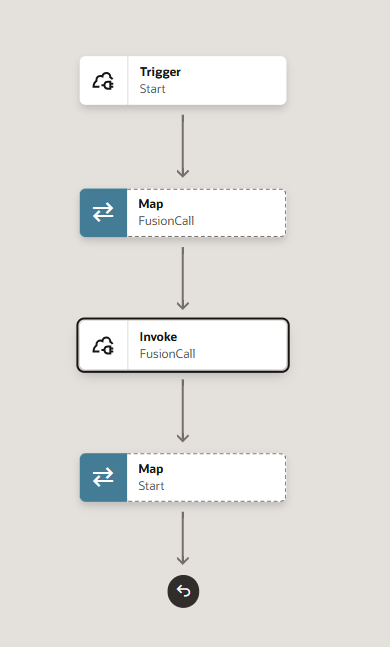
Figure 16: Completed integration flow with the REST trigger and invoke step.
7. Map the Oracle Fusion Supplier Response
The Oracle Fusion REST API returns the supplier data to OIC. The response can then be mapped to the response structure defined for the integration.
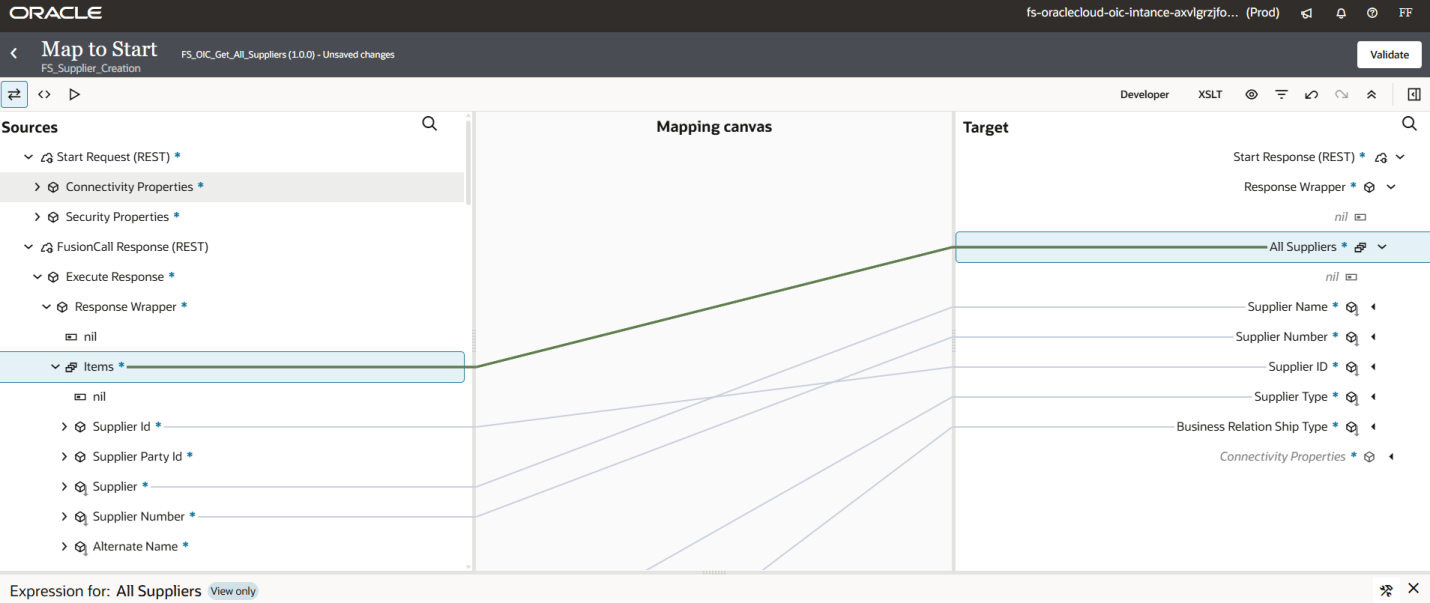
Figure 17: OIC mapping between the integration request/response and the Oracle Fusion REST API.
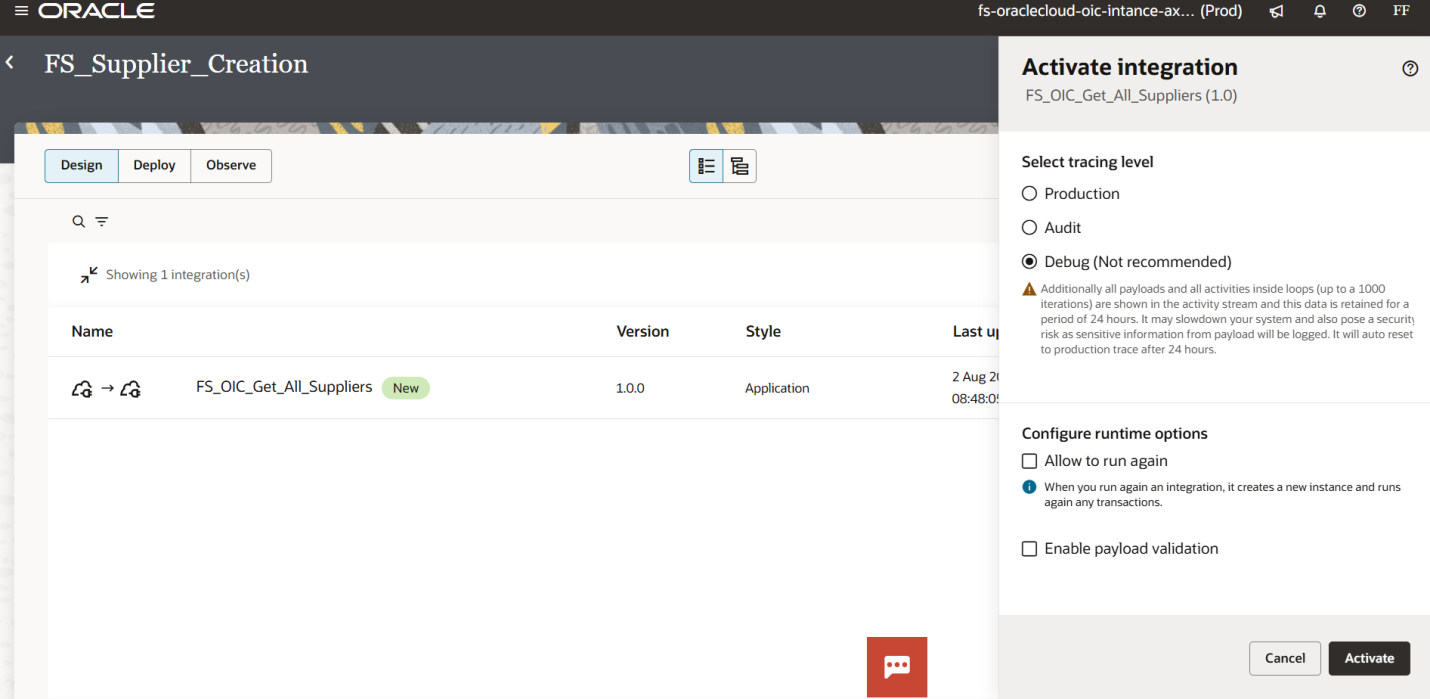
Figure 18: Integration activation/configuration screen.
8. Activate and Test the Integration
After completing the configuration, activate the integration and use the OIC testing options to execute it. Review the activity stream and the returned payload to confirm that supplier information is being retrieved successfully.
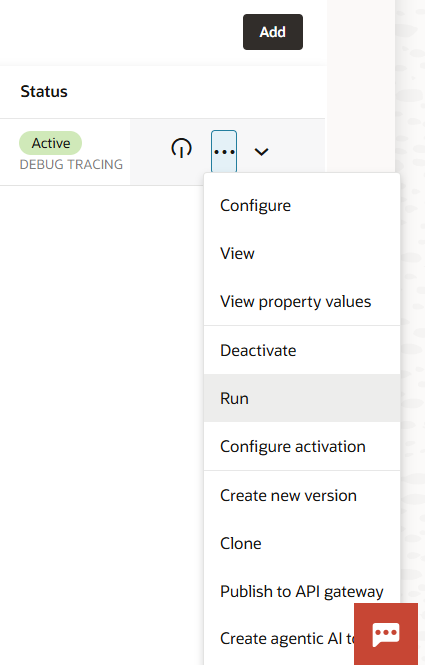
Figure 19: OIC integration actions menu, including Run and Activate.
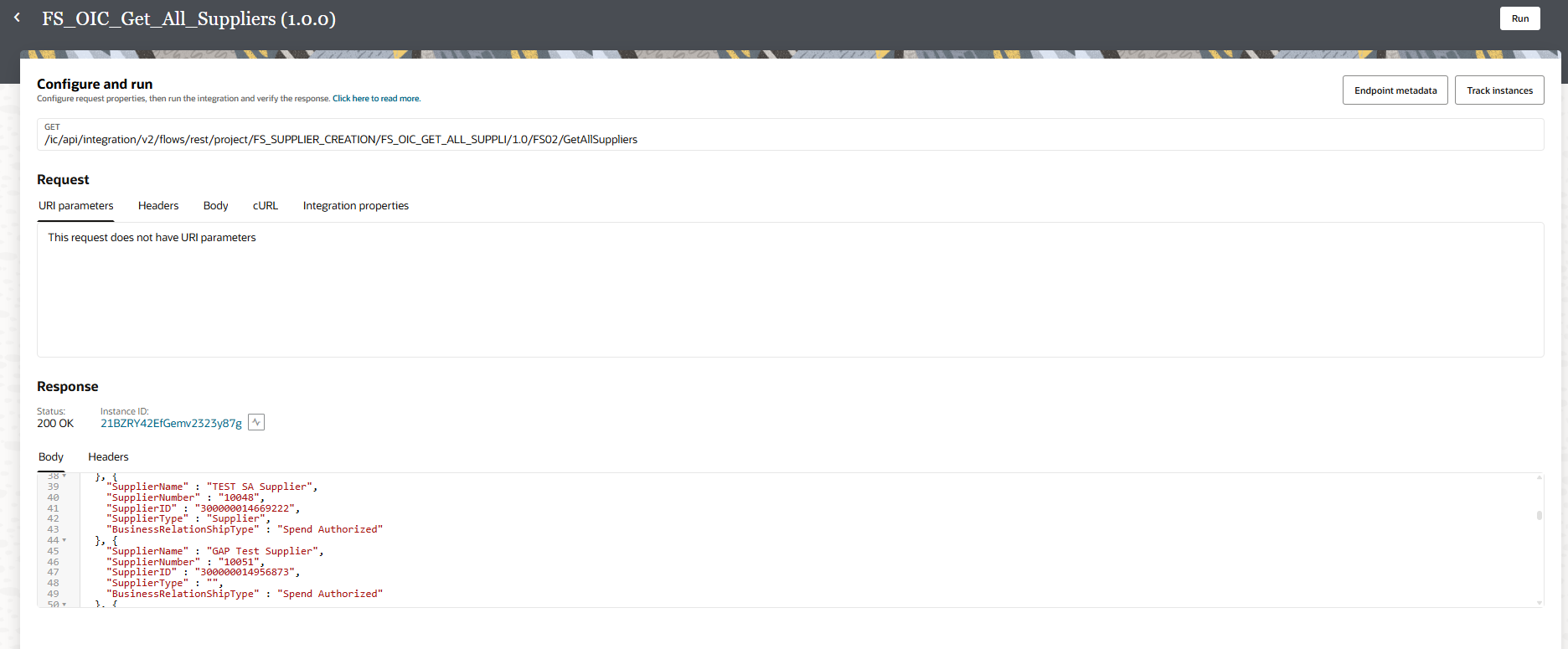
Figure 20: Testing the integration and reviewing the returned supplier response.
9. Recommended Troubleshooting Sequence
1. Find the Oracle Fusion REST API documentation
2. Test the API in Postman
3. Confirm authentication
4. Create the OIC connection
5. Test the OIC connection
6. Create the integration
7. Configure the REST trigger and invoke
8. Activate and test the integration
9. Review the OIC activity stream if an error occurs
Testing each layer separately makes troubleshooting much easier. If the API works in Postman but the OIC integration fails, focus on the OIC connection, security, request configuration, mapping, or integration design.
10. What We Learned in Lecture 1
- API and REST API fundamentals
- GET, POST, PUT, PATCH and DELETE methods
- Template and Query Parameters
- Finding the Oracle Fusion Supplier REST API documentation
- Testing an Oracle Fusion REST API with Postman
- Creating an OIC connection
- Creating and configuring a REST-based OIC integration
- Testing and activating the integration
What’s Next – Lecture 2
In the next lecture, we can go deeper into the OIC integration designer and build the supplier integration step by step, including request/response configuration, mapping, parameters, testing and troubleshooting.
Conclusion
REST APIs are one of the most important foundations for working with Oracle Integration Cloud. Once you understand HTTP methods, parameters, endpoints, authentication and JSON responses, you can begin building practical integrations between Oracle Fusion and external systems.
This first lecture provides the foundation by showing how to locate the Oracle Fusion Supplier API, test it with Postman, create an OIC connection, configure the integration and test the returned supplier information.
SEO Information for ERP Hints
SEO Title: Oracle OIC Lecture 1: REST API Basics and Get Supplier Information from Oracle Fusion
URL Slug: oracle-oic-lecture-1-rest-api-get-supplier-information-fusion
Meta Description: Learn Oracle Integration Cloud (OIC) from scratch. This first lecture explains REST API methods, parameters, Postman testing, OIC connections, and how to retrieve supplier information from Oracle Fusion.
Category: Oracle Integration Cloud (OIC)
Tags: Oracle OIC, Oracle Fusion, REST API, Oracle Integration Cloud, Postman, Oracle Fusion REST API, OIC Tutorial